
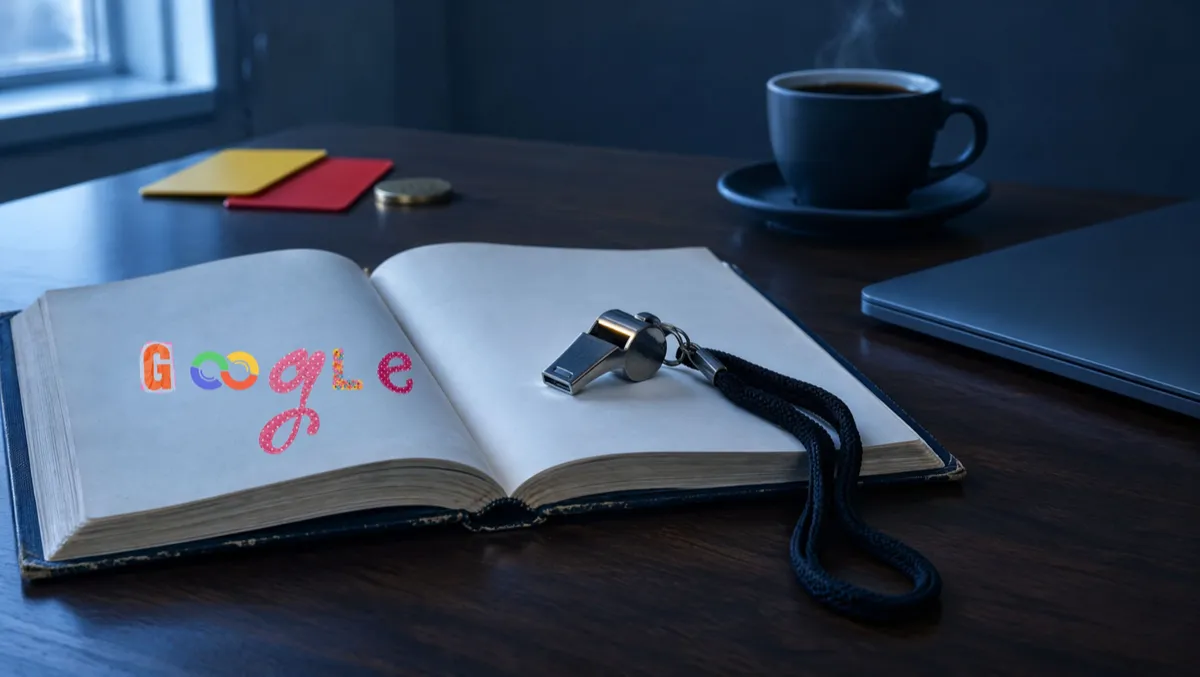
Google Algorithm Updates 2026: The Situation Report
Mission Briefing — the 30-second version. Google confirmed eight ranking updates in 2026: one for Discover, three core updates and four spam updates. Core updates re-rank pages against everything else on the web. Spam updates go after sites that break Google's rules. If your calls or web leads changed this year, the dates below will help you find out why. The rest of this series covers what to do about it.
You run the business. You answer the phone, quote the jobs, chase the invoices, and somewhere in there you paid for a website. For a while it brought in calls. Then it didn't, and nobody could tell you what changed.
Owners call me with that story all the time. My first question is always the same: when? In 2026 the answer kept landing in the same three places: April, June, and now November. Each one lines up with an update on Google's own calendar. More often than not, my first answer is: you got caught up in a Google update.
Maybe your web person already told you "it's Google." Maybe the agency sent a report full of green arrows while your phone stayed quiet. Either way, you were left guessing.
Here's what happened. Google re-scored the web several times this year. It announced the big changes on one public page that almost no business owner checks, and it made smaller changes without a word. Some businesses gained ground. Some lost it. Most never knew.
This post gives you the dates, explains what each kind of update does, and shows you how to check whether one of them touched your site. Then I'll show you what's usually behind the drop, because the update is rarely the whole story. No jargon without a definition. Every date comes from Google's own Search Status Dashboard.
Think of Google as a Referee Who Rewrites the Rulebook Mid-Season
Picture a league where the referee changes the rules a few times a season. He posts the date the new calls start, but he never hands out the new rulebook. One Saturday, the same play that scored last week gets flagged.
That's a Google update. Google uses a set of systems to decide which pages show up for a search, and in what order. A few times a year it adjusts those systems. Your page stayed the same. The way it gets scored didn't.
What hasn't changed much is what the referee is looking for. For years Google has asked for the same thing: pages that actually help the person searching. Get that right and the updates stop feeling random.
The Two Kinds of Updates You Need to Know
Core updates: the big re-evaluation
A core update is Google re-checking how it judges quality across the whole web. It isn't aimed at your site, your trade or your town. Google says the goal is more helpful, reliable results.
This is the part that stings: you can lose ground without doing anything wrong. Google compares it to a list of favorite restaurants you wrote a few years back. New places have opened since then. Some got better. When you rewrite the list, a few old favorites slide down. They didn't get worse; others earned their spot. Your service page works the same way. It's being graded against every other page that answers the same question.
Google puts it plainly: "In general, most sites don't need to worry about core updates and may not even realize one has happened."
Spam updates: the rule enforcement
A spam update goes after sites that break Google's spam policies: pumping out hundreds of thin pages, buying links, hiding text that only search engines can see. If you've played it straight, spam updates usually pass you by. If you once paid someone who promised page one in 30 days, it's worth asking what they actually did.
Discover updates: the feed, not the search
Discover is the feed of articles that shows up on many Android phones and in the Google app. It runs on its own systems and gets its own updates. If your customers find you by searching, a Discover update probably didn't touch you.
The 2026 Timeline: Every Confirmed Ranking Update
Here's every confirmed ranking update so far this year, straight from Google's Search Status Dashboard. Keep it next to your traffic report. You'll use it to line up a drop with the update that may have caused it.
| Dates (2026) | Update | What to know |
|---|---|---|
| Feb 5 – Feb 27 | February Discover core update | Discover only. More locally relevant content, less clickbait, more in-depth original content from sites with real expertise. |
| Mar 24 – Mar 25 | March spam update | Global, all languages. Rolled out in under a day (about 19½ hours), ending two days before the March core update began. |
| Mar 27 – Apr 8 | March core update | The first core update of the year, rolling out over about 12 days. |
| May 21 – Jun 2 | May core update | The second core update, about six weeks after the first one finished. |
| Jun 24 – Jun 26 | June spam update | A short rollout of about two days. |
| Aug 18 – Aug 21 | August spam update | About two days and 16 hours. |
| Sep 24 – Oct 8 | September spam update | Global, all languages. About 13½ days. |
| Nov 10 – in progress | November core update | The eighth ranking update of the year. Google said it may take up to two weeks; still listed as in progress on November 15, 2026. |
Look at late March. A spam update finished on March 25 and a core update started on March 27. If your leads dropped that week, either one could be the reason. Your daily Search Console numbers are the only thing that can show which day the slide began.
What I Find When the Leads Stop
When an owner calls, the first thing we do is look at the numbers: Google Search Console and analytics. Then we run a complete SEO and AEO scan of the site. Most of the time, the update didn't break anything. It exposed a foundation that broke a long time ago: sloppy design, a messy structure, and pages that don't match what the customer was actually looking for.
In most cases it's nothing shady. It's an owner who didn't know any better. Every now and then, it's a marketing agency that's behind the times.
The heading problem I see over and over
Here's the one I find most. Owners on WordPress or another site builder use the heading tags, H1 and H2, to make text big and bold instead of to outline the page. Before they know it, one page has ten H1s or H2s. Then keywords and branding lines get stuffed into those headings, along with the small eyebrow text that sits above them.
Headings are meant to be the page's outline. When they're used for looks, that outline stops telling a reader, Google or an AI tool what the page is about.
What happens when the foundation gets fixed
Two recent examples, both companies whose sites had been built by another marketing firm. The first, an outdoor living company in Florida, had a great-looking site, but the structure underneath was missing and its organic traffic sat at zero. Two months after we fixed it, search was bringing in about 180 visitors a month.
The second, a building-products manufacturer, had an agency that didn't understand how Google now reads what a searcher means, not just the words they type, or how the brand's core message, keywords and headings work together for Google and AI answers. We fixed it. In two months its search traffic went from 15 visitors a month to about 3,000. Before, about 3 in 100 people who filled out its estimate form went on to book an in-home estimate. After, 66 in 100 did, which put its sales team in front of the homeowner.
Neither one needed a trick. They needed the foundation built right.
The Other Big Change: Google Started Answering for You
The rules weren't the only thing that changed. So did the search page itself.
Many searches now open with an answer written by AI at the top of the page. Google calls these AI Overviews, and there's a separate AI Mode for longer questions. In a Pew Research Center study of 68,879 Google searches made by 900 US adults in March 2025, 18% of searches produced an AI summary. When one appeared, people clicked through to a website 8% of the time. Without one, they clicked 15% of the time. That data is from early 2025, before this year's changes, but it points one way: more people get their answer without ever visiting your site.
So ranking isn't the whole goal anymore. You also want to be the business the AI names in its answer. That's what Answer Engine Optimization, or AEO, means, and Part 4 covers it.
Go Deeper: Reading an Update Like a Pro
Let it finish, then wait a week. Google's advice is to wait at least a full week after an update completes before you dig into Search Console. Tearing up your site on day three only muddies the numbers.
Compare the right weeks. Put the week after the update next to the week before it started. Look at clicks, impressions and average position for your main service pages and the searches that bring you work.
Size the drop. Google gives two examples. Sliding from position 2 to 4 is small: Google says no drastic action is needed and warns against reworking content that already performs well. Falling from 4 to 29 is large, and that's when its self-assessment questions are worth working through.
Look for a pattern. Did one kind of page fall — blog posts, city pages, product pages — or did everything slip at once? One kind points at those pages. Everything at once points at how Google sees the whole site.
Check the calendar first. If the slide started before the update did, the update probably isn't your problem. Look at what else happened: a site change, a broken tracking code, a technical error, or the slow season in your trade.
See who passed you. Search the terms you lost and read the pages now above you. Be honest with yourself. Are they more original, more complete, easier to trust? Usually that's the answer.
Your Orders: What to Do Right Now
Get into Google Search Console. It's free, and it's the only place Google shows you how it sees your site.
Mark the 2026 dates on your traffic chart so you can line up drops with causes.
Sit tight during the November rollout. Wait until Google marks it complete before you judge anything.
Bookmark the Search Status Dashboard so you hear about the next update the day it starts.
Read the rest of this series. Parts 2 through 6 cover what Google rewards and how to show up in AI answers.
One more thing, and it matters more than any update. Every step above needs your own login to Search Console and your analytics. If an agency set them up under its own account, you can't check a single date without asking permission. It's your business's data, and you should hold the keys. Our Digital Asset Management page lists what you should own.
The Bottom Line
Google will keep changing the rules. You can't stop that, and chasing every update will wear you out. The businesses that come out ahead are the ones whose pages answer real questions, written by people who know the work. That's what Google's own guidance asks for.
As I tell every owner who calls: you know what you know. My job is to know what you don't, and make it work.
Frequently Asked Questions
What is a Google core update?
A core update is Google re-weighing how it judges every page on the web at once. It isn't a penalty aimed at your site. Your page can climb or fall simply because Google now thinks other pages answer the question better.
How many Google updates were there in 2026?
Google has confirmed eight ranking updates in 2026 so far: the February Discover core update, core updates in March, May and November, and spam updates in March, June, August and September.
How often does Google update its algorithm?
Google says it makes significant, broad changes to its search systems several times a year and gives notice when they happen. In 2026 it has confirmed eight ranking updates so far on its Search Status Dashboard. Smaller core updates happen too, but Google doesn't announce them because they aren't widely noticeable.
When is the next Google core update?
Google doesn't publish a schedule. It posts each confirmed ranking update on its Search Status Dashboard when the rollout starts and marks it complete when it ends. The November 2026 core update began on November 10 and was still rolling out on November 15. Bookmark the dashboard to hear about the next one the day it starts.
How do I know if a Google update affected my site?
Wait until the update finishes, then wait one more week. In Search Console, compare clicks, impressions and average position for the week after the update with the week before it started. If your drop began before the update's start date, the update probably isn't the cause.
Why did my rankings drop if I didn't change anything?
Because rankings are relative. A core update can lift other pages above yours without anything on your site getting worse. Search the terms you lost and compare your page, honestly, with the ones now ahead of you.
Is there a quick fix after a core update?
No. Google specifically warns against “quick fix” changes, like removing a page element because you heard it was bad for SEO. Instead, it recommends meaningful, long-term improvements that make sense for your users. Google also says some changes show up within days while others take months, and nothing guarantees a result. Part 5 of this series gives you the step-by-step plan.
Next up, Part 2: Your Weakest Link Sets the Grade — what Core Web Vitals really measure, and why one slow metric can drag your whole site down.
Want a second set of eyes? Oculus Intel offers a free SEO and AEO audit. We'll show you where you stand and what to fix first.
Sources
Google Search Status Dashboard, Ranking history — status.search.google.com
Google Search Central, “Google Search's core updates and your website” — developers.google.com/search/docs/appearance/core-updates
Google Search Central, “Spam policies for Google web search” — developers.google.com/search/docs/essentials/spam-policies
Google Search Central Blog, “Google's February 2026 Discover core update” — developers.google.com/search/blog/2026/02/discover-core-update
Pew Research Center, “Google users are less likely to click on links when an AI summary appears in the results,” July 22, 2025 — pewresearch.org
Editor's note: all dates verified against Google's Search Status Dashboard on November 15, 2026. This post will be updated when Google marks the November core update complete.